








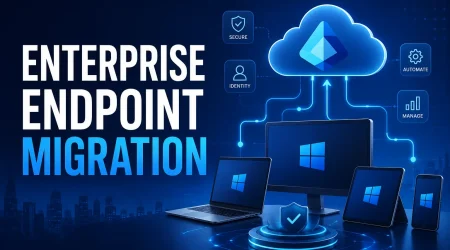
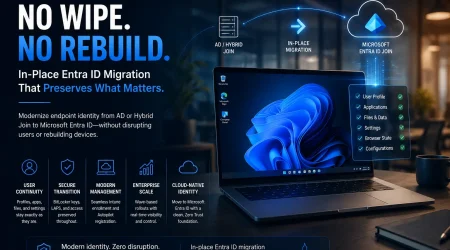
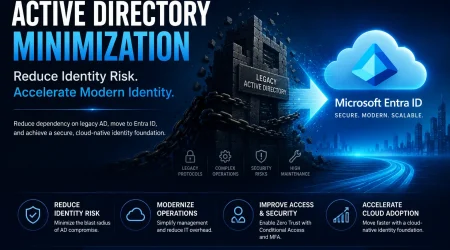
Migrate AD & Hybrid Devices to Microsoft Entra ID without wipe

Preserve user profiles, apps, and settings while transitioning Windows devices.
No reimage. No disruption.

  • Zero-wipe device  migration 
  • Cross-tenant & M&A ready 
  • Works for remote devices 

Opsole Migrate

Manage global Entra ID migrations using a secure SaaS platform.

Opsole Migrate enables self-service, agentless migrations designed for near-zero downtime, modernizing Windows devices to Entra ID Join without reimage.

Opsole Migrate

Cut migration cost up to 10× versus Autopilot reset

Avoid wipe/reimage labor and post-reset reconfiguration. Reduce downtime and tickets, lowering total effort and rollout costs across global fleets.

About

Your Transition. Our Innovation. No Disruptions.

Opsole Migrate modernizes Windows devices from AD/Hybrid to Microsoft Entra ID Join with a controlled, in-place workflow, no wipe or reimage. Built for distributed fleets, it’s remote-ready without DC line-of-sight, privacy-first with no user content access, and provides BitLocker recovery assurance where enabled.

Why Opsole

End-to-End Ownership

We manage the entire M&A IT transition from planning to execution.

Zero Disruption Promise

Our migrations are seamless no user impact, no business downtime.

Purpose-Built Automation

Opsole Migrate automates complex migrations secure, agentless, and interruption-free.

Our Strategic Partners

Our Clients

Frequently Asked Questions

01.What is Opsole device migration?

Opsole provides automated solutions for migrating Windows devices and Microsoft 365 environments to Microsoft Entra ID without wiping devices, helping organizations transition securely with minimal disruption.

Opsole is designed for IT teams, managed service providers (MSPs), and enterprises managing Microsoft environments, especially those handling large-scale device migrations, mergers, or cloud transitions.

Opsole eliminates the complexity of manual migration by automating data transfer, reducing downtime, preventing data loss, and simplifying large-scale Microsoft 365 migrations.

Opsole enables zero-wipe device migration, preserving user profiles and configurations while reducing downtime and support effort, unlike traditional migration methods that require reimaging or manual setup.

Opsole primarily supports Microsoft environments, including Entra ID device migration and tenant-to-tenant transitions, with a focus on simplifying complex enterprise migration scenarios.

Yes, Opsole enables zero-wipe device migration by preserving user profiles, applications, and system settings during the transition to Microsoft Entra ID.

User profiles, files, and configurations are preserved, allowing users to continue working without reconfiguration after migration.

Yes, Opsole supports remote migration, allowing devices to transition to Entra ID without requiring VPN connectivity.

Migration time varies, but automated processes can complete migration in minutes per device depending on system and network conditions.

Manual migration requires reconfiguration and causes downtime, while Opsole automates the process, preserves user environments, and significantly reduces IT effort.

In most cases, devices are enrolled into Microsoft Intune after migration to manage policies, compliance, and security settings.

Manual migration can lead to data loss, user disruption, configuration errors, and increased support workload, especially in large environments.

Let’s Simplify Your IT Transition

Support

Fill out the form below.